Finding high-quality software without breaking the bank is one of the biggest challenges for content creators, video editors, and designers starting out on a PC. Whether you are launching a YouTube channel, editing photos for a blog, or mastering audio tracks, you no longer need an expensive subscription to get professional results.
In this comprehensive guide, we will explore the absolute best free software for editing video, photos, and audio on Windows PC, detailing their features, pros, and why they stand out.
Part 1: Best Free Video Editing Software for PC
1. DaVinci Resolve
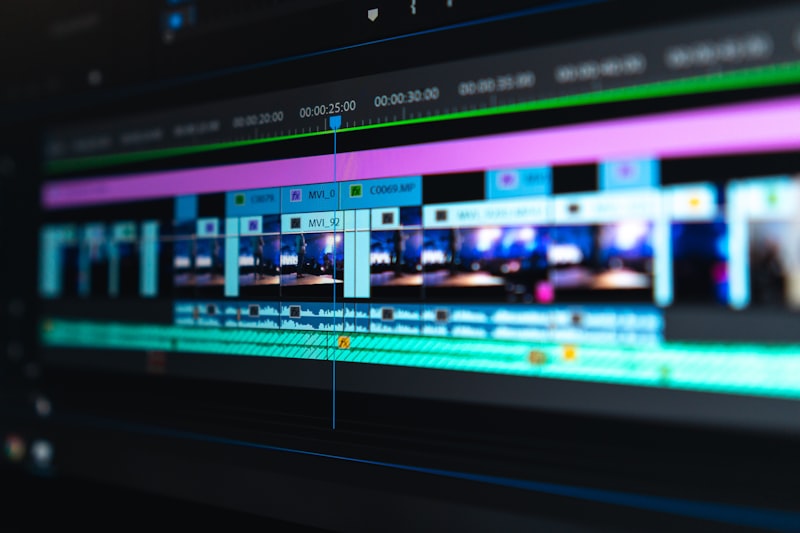
If you want Hollywood-grade video editing without paying a single cent, DaVinci Resolve is the gold standard. It is widely used by professional filmmakers, yet it offers a robust free version that blows most paid competitors out of the water.
- Key Features: Advanced color grading (Fairlight audio post-production), professional multi-cam editing, and no watermarks on export.
- Best For: Creators looking for professional-level capabilities and cinematic quality.
- Downside: It has a steep learning curve and requires a relatively powerful PC graphics card to run smoothly.
2. CapCut Desktop
Originally famous as a mobile app, CapCut Desktop has quickly become a massive favorite for PC users, especially for short-form content like TikTok, Instagram Reels, and YouTube Shorts.
- Key Features: AI-powered auto-captions, massive library of trendy templates, transitions, effects, and a very user-friendly drag-and-drop interface.
- Best For: Beginners, social media creators, and vloggers who want fast, stylish edits.
- Downside: Some advanced features and cloud storage options require a pro subscription, though the core free tools are extensive.
3. Kdenlive
For those who love open-source software, Kdenlive is a fantastic, completely free, and cross-platform video editor that doesn't put watermarks on your work.
- Key Features: Multitrack video editing, customizable layouts, audio mixing, and support for almost all video and audio formats.
- Best For: Intermediate editors looking for a lightweight, reliable, open-source workspace.
Part 2: Best Free Photo Editing Software for PC
4. GIMP (GNU Image Manipulation Program)
Known as the ultimate free alternative to Adobe Photoshop, GIMP has been around for years and continues to evolve as a powerhouse for graphic designers and photo retouchers.
- Key Features: Deep layer management, custom brushes, advanced retouching tools, and plugin support that mimics Photoshop workflows.
- Best For: Digital painting, deep photo manipulation, and custom graphic design.
- Downside: The interface can feel overwhelming for complete beginners.
5. Paint.NET
If GIMP feels too complex, Paint.NET is the perfect middle ground for Windows users. It started as a simple replacement for Microsoft Paint but grew into a robust, community-driven image editor.
- Key Features: Extremely lightweight, fast startup, support for layers, special effects, and hundreds of free community plugins.
- Best For: Quick photo touch-ups, cropping, resizing, and simple graphic creation without lag.
Part 3: Best Free Audio Editing Software for PC
6. Audacity
When it comes to audio editing and podcast recording on a PC, Audacity is the undisputed champion. It is completely open-source, lightweight, and trusted by millions of creators worldwide.
- Key Features: Multi-track recording, background noise removal, equalization, support for VST plugins, and format conversion (MP3, WAV, FLAC).
- Best For: Podcast editing, voiceover recording, and cleaning up noisy microphone audio.
Conclusion: Which One Should You Choose?
Building your ideal creative workstation doesn't require a credit card. If you want a cinematic studio, go with DaVinci Resolve and Audacity. If you want fast social media edits and lightweight photo tools, CapCut Desktop and Paint.NET will serve you best.
Which of these tools are you already using on your PC? Let us know your favorite in the comments below!